

 توییت
توییت
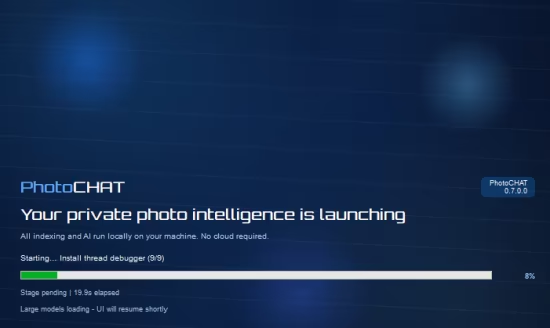
PhotoCHAT AI 0.7.0.0
Languages: English
File Size: 3.86 GB
Rediscover Your Photo Memories With AI Intelligence. Search by text, people, or a sample image. Organize with Library Manager and edit in Image Studio. All private and offline on your Windows PC.
Natural Language Search
Search your photos like you think. Combine descriptions with people names, dates, and folders, or use offline voice search.
Smart Face Recognition
Detect faces with automatic age and gender recognition. Group faces into clusters, name people, and search by person or life stage - all processed locally on your hardware.
100% Private & Offline
Your photos never leave your computer. All AI processing happens locally. No cloud required, no data collection, complete privacy.
Library Manager & Device Import
Choose Active Sources, freeze folders, and restore Ignored Paths. Import photos from phones and cameras in the same dialog.
Search by Image & Find Similar
Drop an image to run Search by Image, or right-click a photo to Find Similar. Great for variations, duplicates, and look-alikes.
Image Studio Editor
Edit photos with Auto Enhance, AI Super Resolution, Text Select (OCR), object removal, and Print Studio.
AI Agent Control
Search your photos from your phone via Telegram, WhatsApp, or any chat app. Connect to OpenClaw and get photos sent directly to you from anywhere - all 100% offline.
Your Data Stays With You
In an age of cloud surveillance, PhotoCHAT brings control back to your desktop. We believe your personal memories shouldn't be trained on, mined, or monetized.
Local-First Architecture
Photos, index, face recognition, and age/gender data never leave your hard drive. Your hardware does all the AI processing.
Offline by Default
Unplug the cable. PhotoCHAT works 100% offline with zero loss of functionality.
No Hidden Background Services
The app only runs when you open it. No always-on scanners slowing down your PC.
Release Notes
System Requirements
Minimum
- Windows 10 version 1909+
- 8 GB RAM
- 10 GB available disk space
- GPU optional (DirectML acceleration supported on most Windows GPUs)
Recommended
- Windows 11
- 16 GB RAM
- Modern NVIDIA, AMD, or Intel GPU
- SSD storage for your library/index
HOMEPAGE
کد:
https://photochat-ai.com/
DOWNLOAD
کد:
 https://nitroflare.com/view/F6AB094807026DD/PhotoCHAT.AI.0.7.0.0.part1.rar
https://nitroflare.com/view/A8CFED3D7ADDF7B/PhotoCHAT.AI.0.7.0.0.part2.rar
https://nitroflare.com/view/6EB3571C80DD399/PhotoCHAT.AI.0.7.0.0.part3.rar


https://rapidgator.net/file/d5514fc494db299b2d22b354939678be/PhotoCHAT.AI.0.7.0.0.part1.rar.html
https://rapidgator.net/file/d2d75f4eb5c51a8bcb129d2f9abc0cdd/PhotoCHAT.AI.0.7.0.0.part2.rar.html
https://rapidgator.net/file/7ed39cb7d826c5add9ae2e7337855897/PhotoCHAT.AI.0.7.0.0.part3.rar.html