
 توییت
توییت
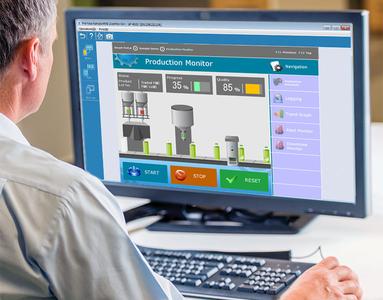
Free Download Pro-face Remote HMI Client for Win 1.42 | 75.1 Mb
Pro-face Remote HMI Client for Win is a Windows Desktop application of the Pro-face Remote HMI app. It enables Remote viewing of multiple HMI RT screens from one PC.
Multi-Monitor Mode
Up to 6 screens can be displayed in one PC screen.
Support Full Screen Mode
The windows of the PC screen can be resized to the PC screen max. size.
Synchronous and Asynchronous Operation Mode
Pro-face Remote HMI Client for Win supports synchronous and asynchronous operation modes which switch during operation.
A new parameter in the GP-Pro EX setting provides the option to limit the operation modes for the Pro-face Remote HMI Client for Win.
Multi-client Function
For checking the status of equipment from different points of view, multiple PCs can be operated simultaneously.
Alarm Monitor Function
Indicating the status of each HMI in the overview reduces the time for identifying the faulty system and further reduces the downtime and associated costs. Besides the status bar for each HMI, any alarm can also trigger an alarm sound.
Able to display an alarm message on the Notification center
While you are displaying and operating a screen of the currently connected device on your PC, if an alarm is triggered on another device, you can immediately notice it. Swipe down the notifications and tap the 'Pro-face Remote HMI Client for Win' alarm message in order to switch to the screen of the device with the alarm triggered, and you will be able to immediately respond to the alarm.
Exclusive Touch Operation
Setting the monopolize touch function prevents unexpected operational misuses caused by redundant operation.
You can set a touch monopoly time, or set an arbitrary address for a control address to intentionally monopolize touch operation.
Remote Status Icon
A local operator can check the status of remote connection and touch monopoly of HMI server or remote client on a HMI screen for operation safety.
Blank: Connected
S: HMI server monopolized
C: PC client monopolized
Screen Shortcut
Images or texts of machines to monitor can be registered as shortcuts to easily jump among multiple applications, for various working environment, such as in an office or manufacturing site.
Home Page-
کد:
https://www.proface.com/en/product/soft/remotehmi_client/top
Buy Premium From My Links To Get Resumable Support,Max Speed & Support Me
Download ( Rapidgator )

Download ( NitroFlare )

Download (Uploadgig)

Fikper
Download ( NitroFlare )
Download (Uploadgig)
Fikper
